
Most businesses and organizations still rely on physical flyers, posters, and bulletin boards to reach local audiences. But there's a problem: once a flyer goes up, you have almost no idea if anyone looked at it, scanned it, or acted on it.
QR codes change that. With the right setup, you can turn every flyer into a trackable marketing channel and know exactly which locations drive traffic.
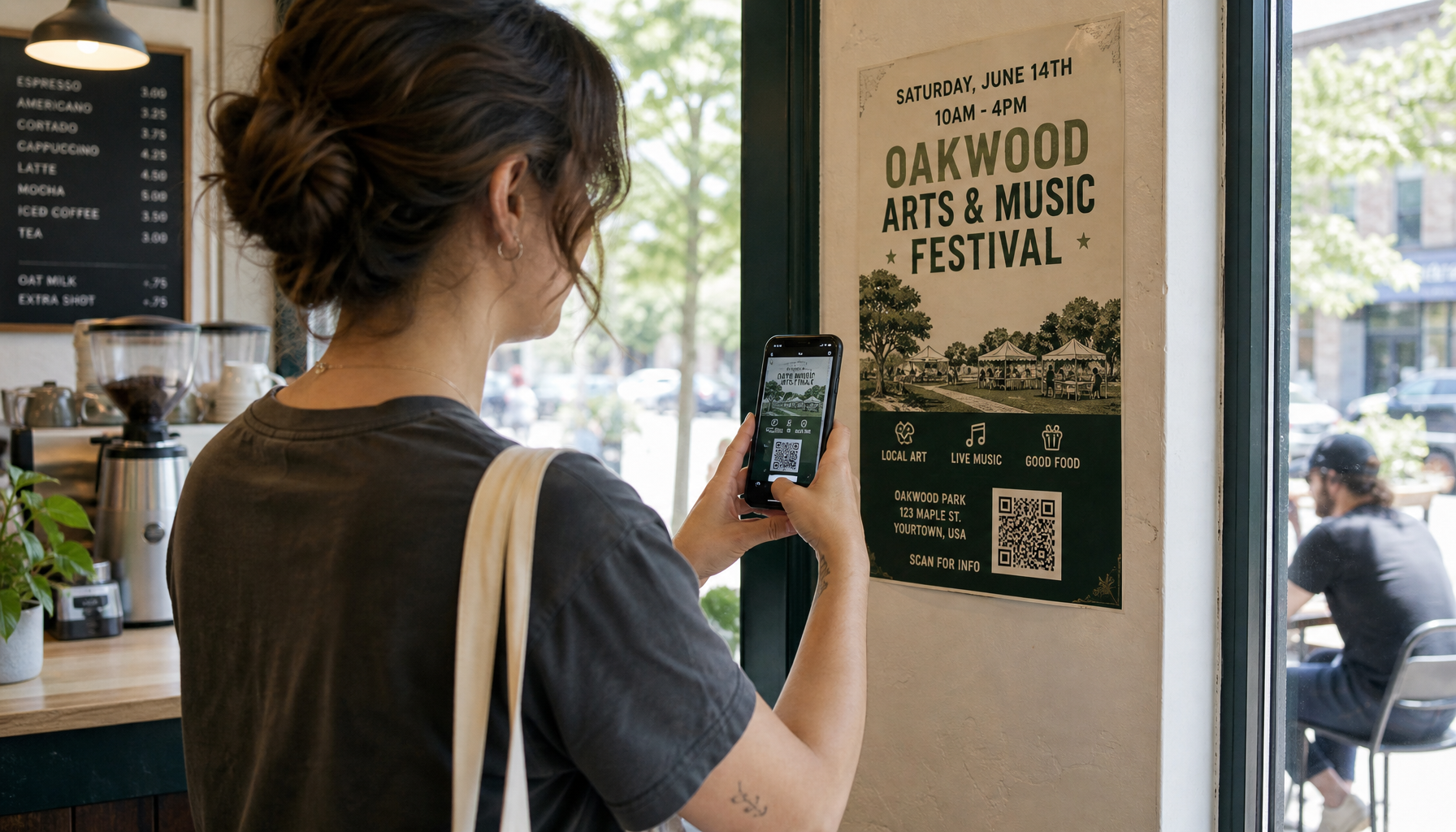
Why Flyer Tracking Matters
Imagine you print 500 flyers and post them across 20 locations. Without tracking, you only know two things:
- You printed 500 flyers.
- Hopefully, something happened.
With QR code tracking, you can answer questions like:
- Which coffee shop produced the most scans?
- Did the church bulletin board outperform the library?
- Which neighborhood responded best?
- What time of day do people scan?
- Did the new flyer design perform better than the old one?
That data turns physical marketing from guesswork into a measurable channel.
What You Need
To track flyers with QR codes, you need:
- A unique QR code for each location. Don't use the same QR code everywhere. If you do, you won't know which board performed best.
- A trackable destination. Each QR code should point to a landing page or website URL you can measure.
- An analytics tool. Google Analytics is the standard, but it has a 24–48 hour delay. For real-time tracking, use a tool like Yap.Ad that records scans as they happen.
Step-by-Step Setup
Step 1: Design Your Flyer
Keep it simple. A good flyer has:
- A clear headline
- One strong call to action
- A large, scannable QR code
- A short URL for people who prefer typing
Make sure the QR code is at least 1 inch square. Smaller codes are hard to scan from a distance.
Step 2: Create Unique QR Codes per Location
For each bulletin board, poster location, or neighborhood, generate a unique QR code.
Use UTM parameters in your URL to make tracking easier in Google Analytics:
https://yoursite.com/?utm_source=flyer&utm_medium=qr&utm_campaign=launch&utm_content=coffee-shop-downtown
The utm_content parameter tells you which location the scan came from.
Step 3: Post the Flyers and Log the Locations
When you place a flyer, record:
- Venue name
- Neighborhood
- Date posted
- Flyer design version
- Estimated foot traffic
This metadata becomes important when you review the results.
Step 4: Monitor the Data
Check your analytics dashboard daily for the first week, then weekly after that. Look for:
- Total scans per location
- Scan trends over time
- Which designs or messages perform best
- Locations where scans dropped off (the flyer may have been removed or covered)
Step 5: Iterate
Use the data to improve:
- Double down on high-performing locations
- Replace or improve low-performing designs
- Test new headlines or visuals
- Expand to similar venues in the top-performing neighborhoods
Common Mistakes to Avoid
- Using one QR code for all locations. You lose location data.
- Tiny QR codes. Make them easy to scan from a few feet away.
- Broken links. Test every QR code before printing.
- Ignoring context. A flyer at a gym performs differently than one at a coffee shop. Track the context, not just the scan count.
- Giving up too early. Flyers often take days or weeks to accumulate scans. Let the data run before making big changes.
Tools That Help
- QR code generators: Most can create trackable codes, but they usually don't provide location-level data.
- Google Analytics: Great for overall traffic, but delayed.
- Yap.Ad: Built specifically for physical marketing attribution. Create unique QR codes per location, log placements, and see real-time scans.
Start Small
You don't need a huge campaign to start tracking. Pick 5–10 locations, create unique QR codes, and run the campaign for two weeks. The lessons you learn will make every future flyer more effective.
Physical marketing isn't dead. It's just been hard to measure. QR codes fix that.
Want to track your next flyer campaign without building a spreadsheet? Yap.Ad gives every placement a unique QR code, logs where you put it, and shows you real-time scans. Start with your next 5–10 locations and see what actually works.